

Billing
Understand how Luxor Energy calculates your electricity charges and breaks down costs by category across each billing cycle.
The Billing tab in the Luxor Energy dashboard gives you full visibility into your electricity costs and how they are settled against your mining earnings. From high-level monthly totals to granular daily line items, everything you need to reconcile your energy expenses lives here.
Billing Overview
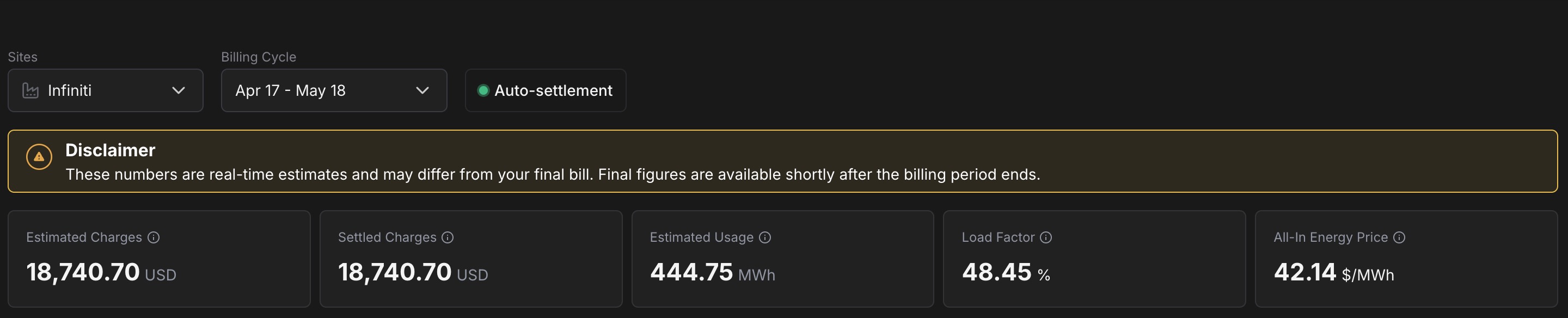
When you open the Billing tab, you'll see a top-level summary for the selected site and billing cycle:
- Site selector — Choose which mining site to view. If you operate multiple sites, each has its own billing data.
- Billing cycle selector — Pick the billing period you want to review. Billing cycles follow your local utility meter read schedule, so the exact dates vary by site and provider.
- Auto-settlement status — A pill next to the cycle selector that indicates whether Auto-settlement is active for the site. When the dot is green, daily energy charges are being deducted from your Luxor Mining Pool balance automatically.
A disclaimer banner below the selectors reminds you that the figures shown are real-time estimates and may differ from your final bill — final figures are available shortly after the billing period ends.
Below the disclaimer, five summary cards show the key figures for the active period:
- Estimated Charges — The total estimated electricity cost (in USD) for the billing cycle, based on the latest available settlement data.
- Settled Charges — The portion of the estimated charges that has already been settled against your mining balance via auto-settlement. While a cycle is in progress this trails Estimated Charges; once the cycle is closed and all settlements complete, the two values converge.
- Estimated Usage — Total energy consumed (in MWh) during the period.
- Load Factor — The ratio of your average load to your peak load, expressed as a percentage. A higher load factor means more consistent power consumption, which generally results in lower per-kWh costs.
- All-In Energy Price — Your blended per-unit cost (in $/MWh) for the cycle, covering supply, delivery, and tax charges. Use it to compare periods or sites on a single normalized rate.
Billing Cycle Chart
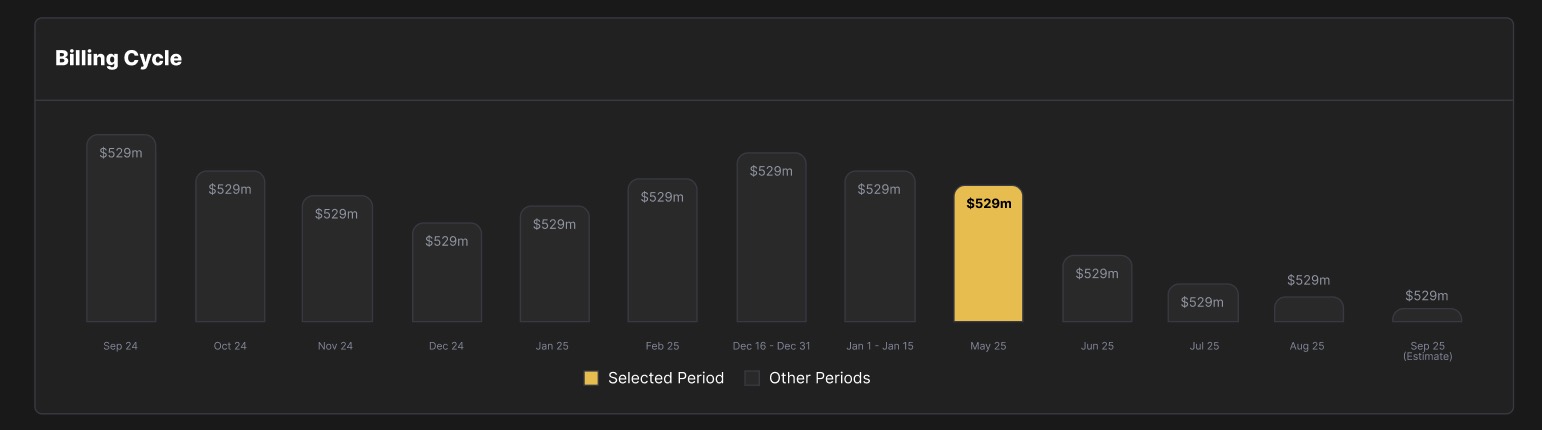
The Billing Cycle chart shows your total estimated charges month over month. The currently selected period is highlighted, while past and future (estimated) periods are shown for comparison. This gives you a quick sense of whether your energy costs are trending up, down, or holding steady across billing cycles.
Estimated Energy Charges
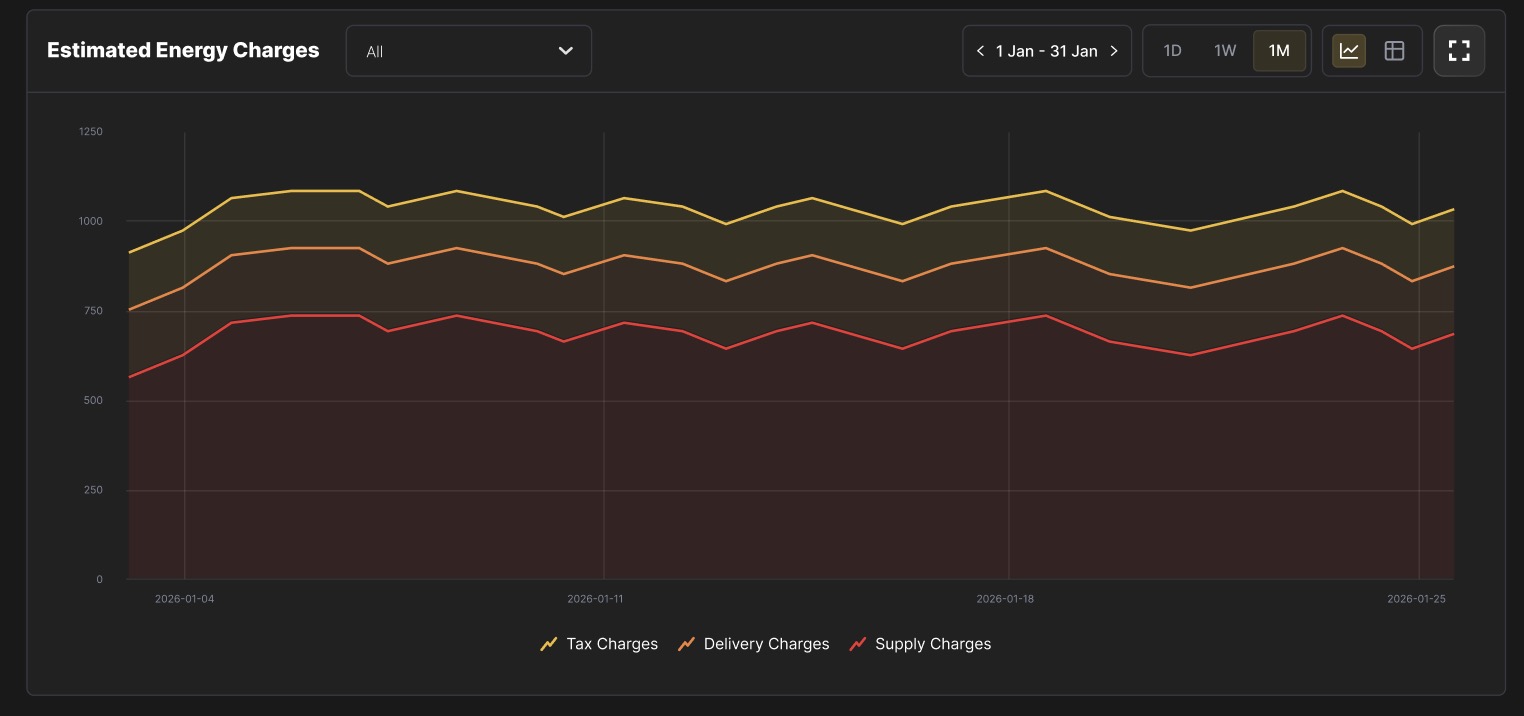
The Estimated Energy Charges section provides a detailed daily view of your electricity costs, broken down into three charge categories:
- Supply Charges — The cost of the electricity itself (energy, ancillary services, and related market charges).
- Delivery Charges — Fees from your local Transmission and Distribution Utility (TDU) for physically delivering power to your site.
- Tax Charges — Applicable state and local taxes on your energy consumption.
You can toggle between 1D (daily), 1W (weekly), and 1M (monthly) views, and navigate forward or backward through time using the date selector. A chart view and a table view are both available, and you can expand the chart to full screen for closer inspection.
Estimated Charges Breakdown
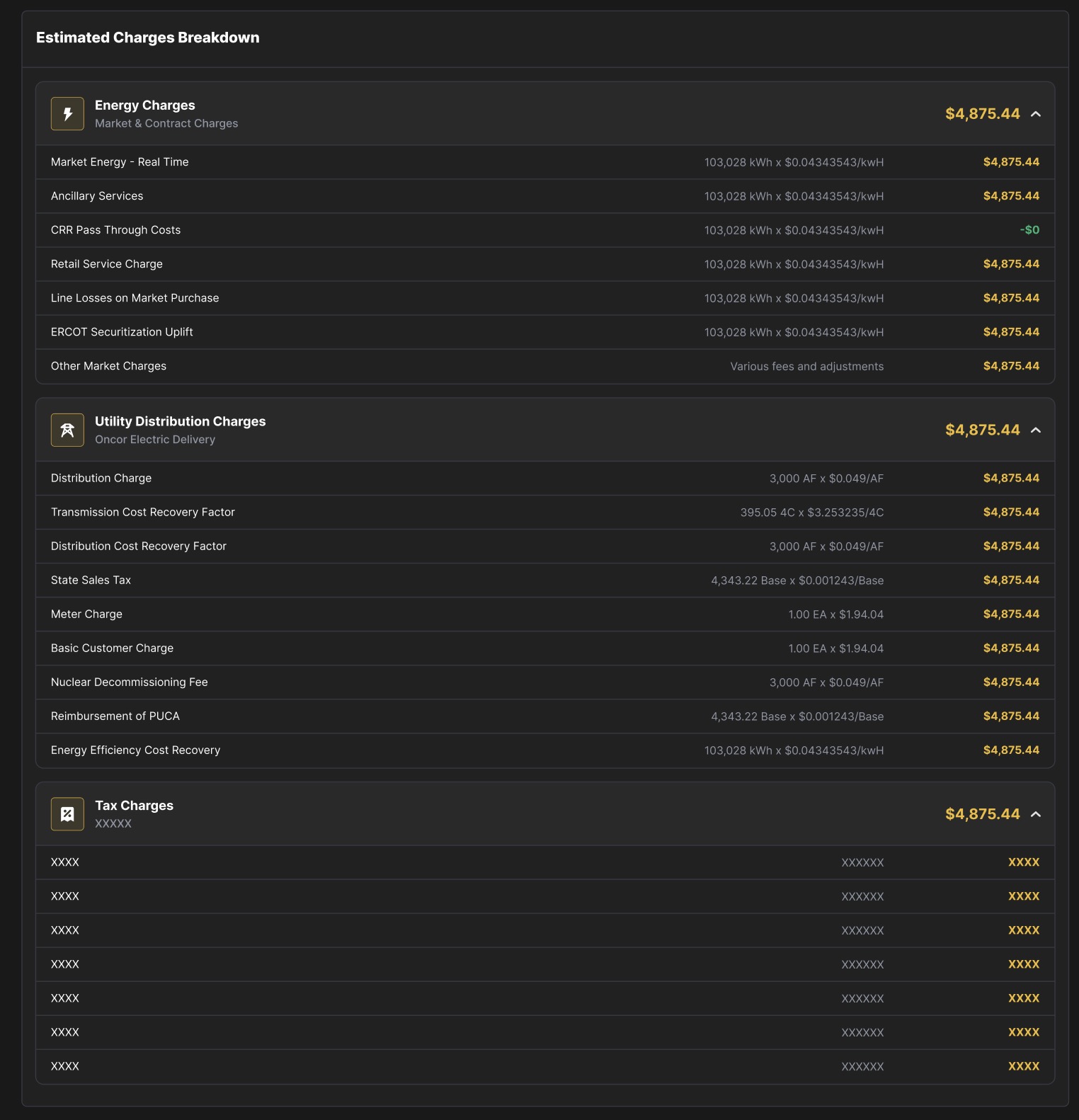
Clicking into the charges breakdown reveals the full line-item detail behind each of the three charge categories. Every billing cycle includes these three sections:
Energy Charges (Supply)
These are the market and contract-based costs for the electricity you consumed. Line items typically include:
- Market Energy — Real Time — The cost of energy purchased at real-time (spot) market prices, calculated as your consumption (kWh) multiplied by the real-time price at your settlement point.
- Ancillary Services — Charges for grid reliability services (frequency regulation, reserves, etc.) allocated to your load.
- CRR Pass Through Costs — Congestion Revenue Right costs passed through from your Retail Electric Provider (REP).
- Retail Service Charge — Your REP's service fee for managing your retail electricity.
- Line Losses on Market Purchase — Adjustments for energy lost during transmission between the generation source and your meter.
- ERCOT Securitization Uplift — A charge mandated by ERCOT to recover costs from securitized grid events (e.g., Winter Storm Uri).
- Other Market Charges — Miscellaneous fees and adjustments from the wholesale market.
Delivery Charges
These are the fees your local TDU charges for delivering electricity over transmission and distribution infrastructure. Line items typically include:
- Distribution Charge — A per-unit fee based on your metered demand for use of the local distribution network.
- Transmission Cost Recovery Factor — Recovers the TDU's cost of building and maintaining high-voltage transmission lines. Calculated based on your 4-Coincident Peak (4CP) demand.
- Distribution Cost Recovery Factor — Similar to the distribution charge, covering infrastructure maintenance and upgrades.
- State Sales Tax — State-level sales tax applicable to energy charges.
- Meter Charge — A flat monthly fee for your utility meter.
- Basic Customer Charge — A flat monthly service fee charged by the TDU regardless of consumption.
- Nuclear Decommissioning Fee — A per-unit charge funding the future decommissioning of nuclear power plants in the service territory.
- Reimbursement of PUCA — Public Utility Commission of Texas Assessment, a small regulatory fee.
- Energy Efficiency Cost Recovery — A per-kWh charge funding utility energy efficiency programs.
Tax Charges
This section lists all applicable taxes on your electricity consumption, including state sales tax, local taxes, and any other government-imposed surcharges. The specific line items vary depending on your site's jurisdiction.
How Billing Works
Luxor Energy's billing process follows your utility's meter read schedule. Here's how a typical billing cycle flows:
- Meter reads — Your utility reads your meter at the start and end of each billing cycle. The cycle aligns with your utility provider's schedule (e.g., the 15th of each month to the 15th of the next).
- Usage data flows in — Interval-level consumption data (typically in 15-minute increments) is collected throughout the billing period.
- Charges are estimated — As usage data becomes available, Luxor calculates estimated charges by applying your contract terms, real-time market prices, TDU tariff rates, and applicable taxes. These estimates update daily and are visible in the Billing tab.
- Cycle closes — Once the billing period ends and all market settlements are finalized, the estimated charges become final.
- Invoice is generated — A downloadable invoice is available for each completed billing cycle.
Because market settlement data typically lags by one to two days (T-1 to T-2), charges for the most recent days in an active billing cycle are estimates and may adjust slightly as final settlement data arrives.