

Advanced Features
Learn about the advanced features available in LuxOS.
Advanced Features
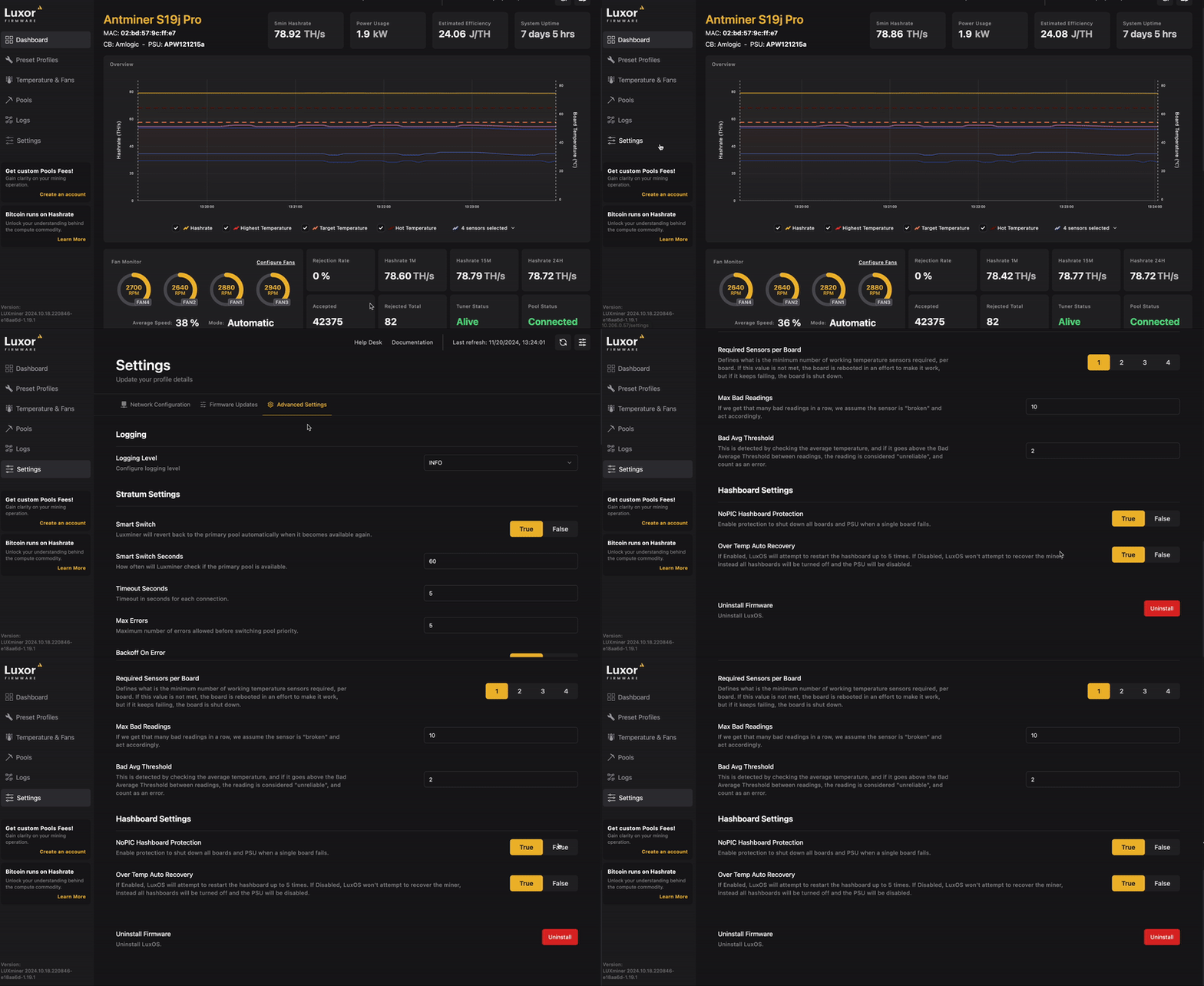
The following settings can be found in LuxOS under Settings -> Advanced Settings
Stratum Settings
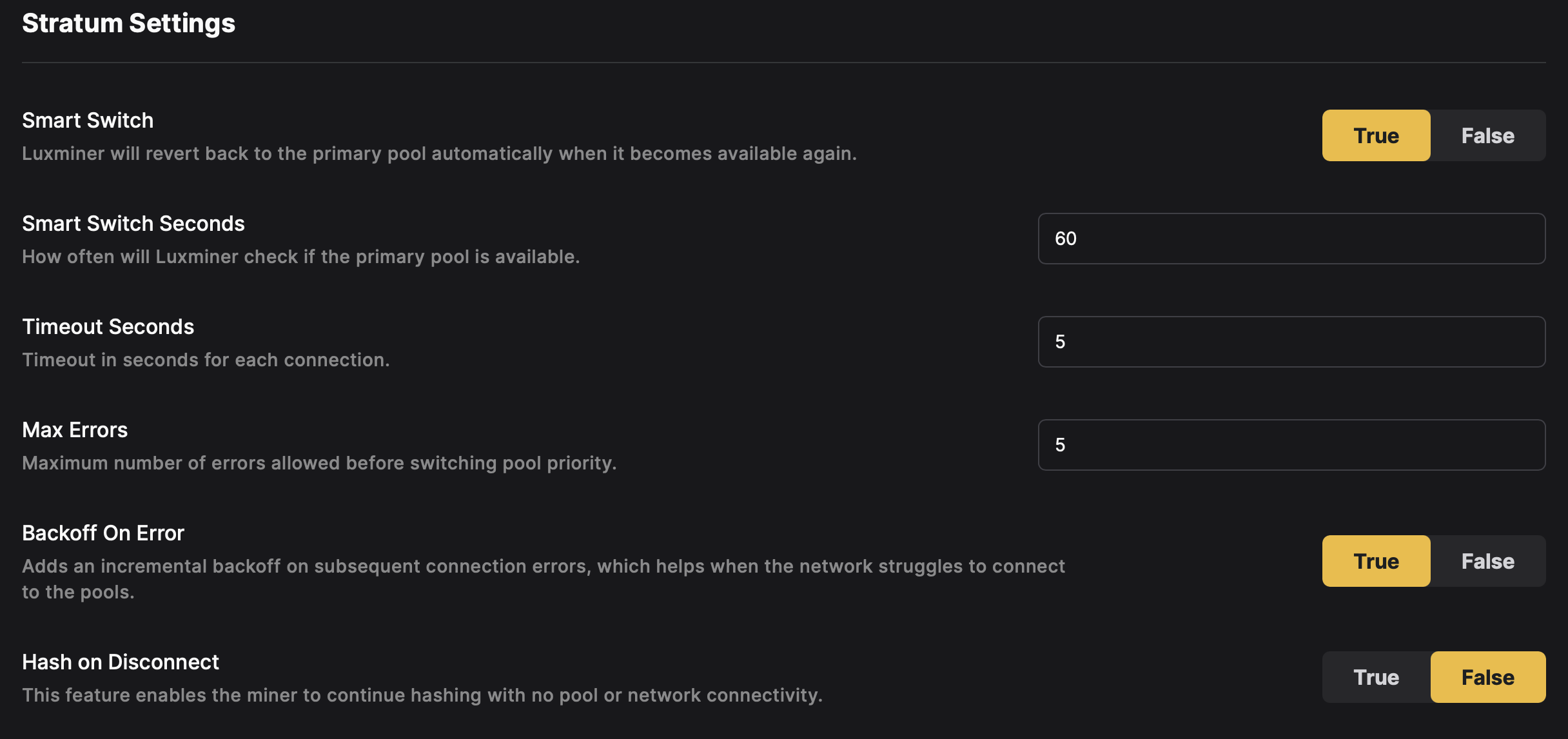
Smart Switch
Enables Luxminer to automatically revert to the primary mining pool when it becomes available again. This helps ensure maximum mining efficiency.
- True: Enabled.
- False: Disabled.
Smart Switch Seconds
Specifies how often (in seconds) Luxminer checks if the primary pool is available.
Default: 60
Timeout Seconds
Defines the timeout in seconds for each connection attempt to a mining pool.
Default: 5
Max Errors
Sets the maximum number of errors allowed before switching pool priority.
Default: 5
Backoff On Error
Enables incremental backoff on subsequent connection errors, helping the miner avoid repeated failed connections when the network is unstable.
- True: Enabled.
- False: Disabled.
Hash On Disconnect
Enables the miner to continue hashing with no pool or network connectivity.
- True: Enabled.
- False: Disabled (default).
Auto Updates
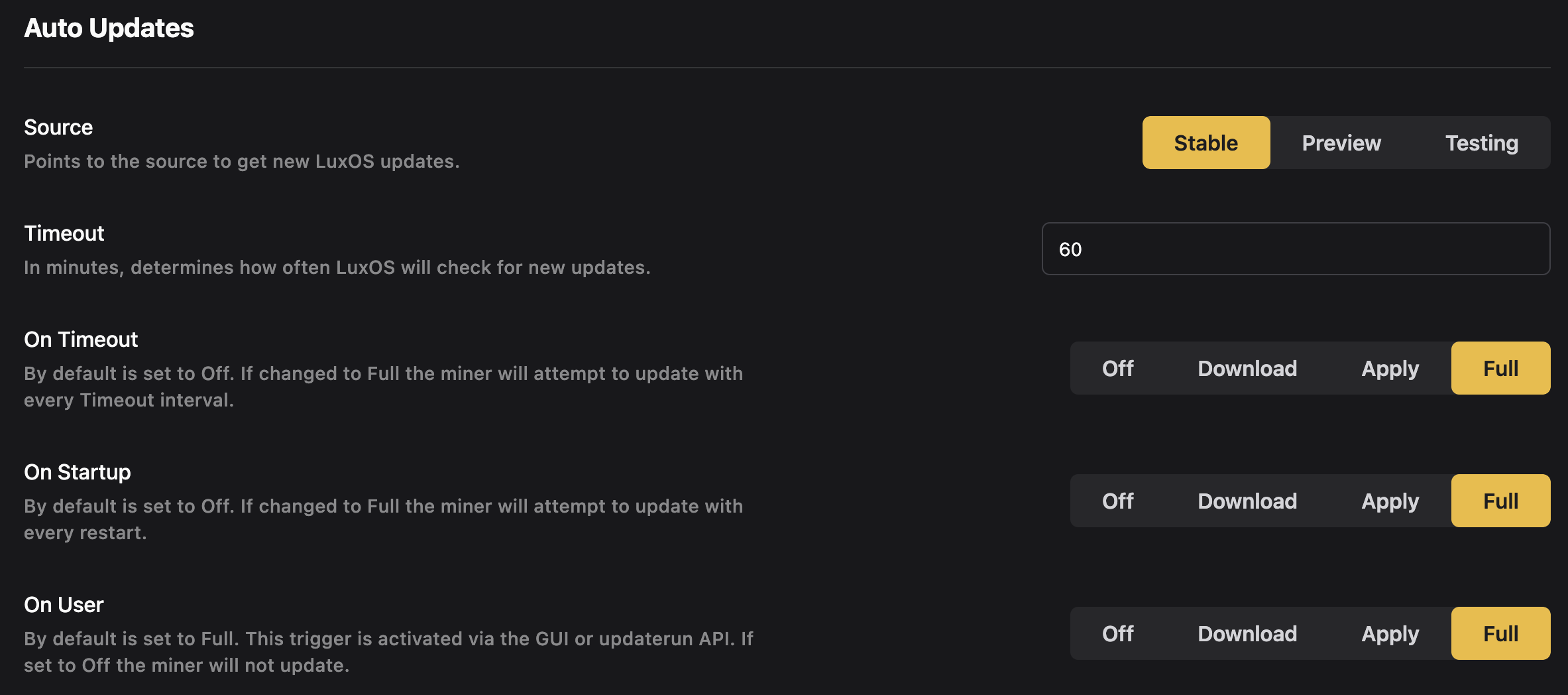
Source
Firmware Branches
Selecting a firmware branch will impact both automatic updates and manual firmware updates.
Specifies the type of update LuxOS will download:
- Stable: Production-ready updates.
- Preview: Beta versions for early access.
- Testing: Experimental updates for advanced users.
- Custom: Luxor-provided URL for specialized builds.
Timeout
Defines the interval (in minutes) for checking new updates.
Default: 60
On Timeout
Determines the action LuxOS takes when a Timeout interval occurs:
- Off: No action.
- Download: Downloads updates but does not apply them.
- Apply: Downloads and applies updates.
- Full: Downloads, applies updates, and restarts the miner.
On Startup
Determines the action LuxOS takes on miner startup:
- Off: No action.
- Download: Downloads updates but does not apply them.
- Apply: Downloads and applies updates.
- Full: Downloads, applies updates, and restarts the miner.
On User
Determines the action triggered manually via the GUI or updaterun API:
- Off: No action.
- Download: Downloads updates but does not apply them.
- Apply: Downloads and applies updates.
- Full: Downloads, applies updates, and restarts the miner.
Temperature Control
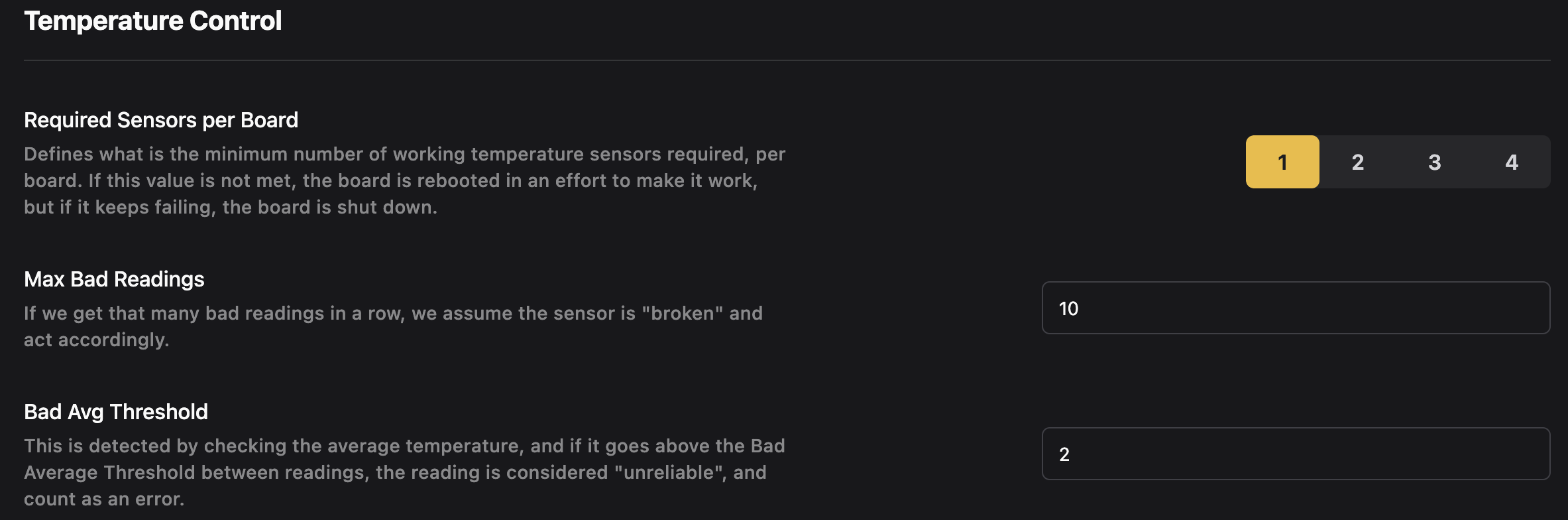
Required Critical Temperature Sensors per Board
Specifies the minimum number of functional critical temperature sensors required per hashboard. If this threshold is not met, the behavior is defined in Critical Temperature Sensor Behavior based on various factors of the hardware architecture.
Options:
Antminer: 0, 1, 2, 3 (amount of critical temperature sensors per hashboard can vary based on model)
Whatsminer: 0, 1
Max Bad Readings
Sets the maximum number of consecutive bad temperature readings before considering the sensor "broken."
Default: 10
Bad Avg Threshold
Determines the average temperature threshold above which readings are considered unreliable.
Default: 2
Fan Control
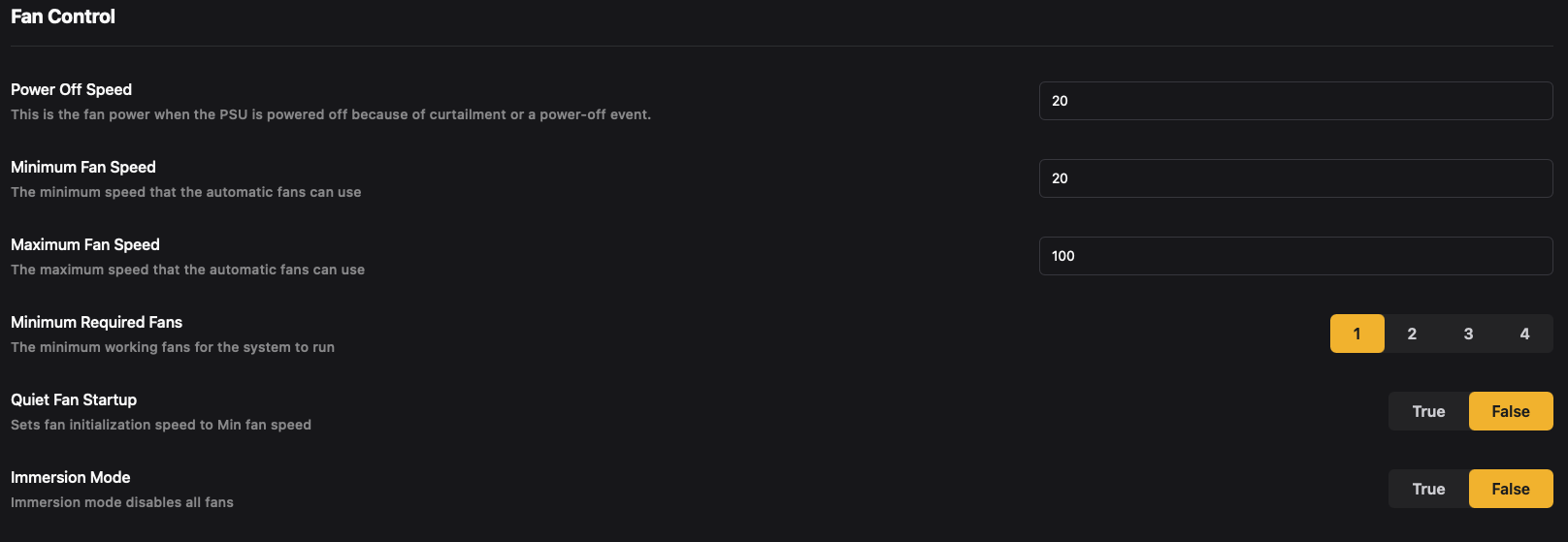
Power Off Speed
The fan power when the psu is powered off because of curtailment or a power-off event. Default: 20
Minimum Fan Speed
The minimum speed that the automatic fans can use. Default: 20
Maximum Fan Speed
The maximum speed that the automatic fans can use. Default: 100
Minimum Required Fans
The minimum number of fans that must be operational for the system to run. Options:
Antminer: 1, 2, 3, 4
Whatsminer: 1, 2
Quiet Fan Startup
Sets fan initialization speed to minimum fan speed.
- True: Enabled.
- False: Disabled (default).
Immersion Mode
Immersion mode disables all fans.
- True: Enabled.
- False: Disabled (default).
Hashboard Settings
NoPIC Shutdown
LuxOS is able to run any miner (PIC & NoPIC) with a hashboard powered off. However, by default, LuxOS will power off NoPIC miners by powering off hashboards and disabling the PSU when a hashboard fails preventing from sending voltage to failing hashboards. This feature can be disabled by the user. To do so, go into Settings, click on the Advanced Settings section, then scroll down to disable the NoPIC Hashboard Protection setting. Alternatively, users can disable this functionality through the API by calling the hashboardoptsset command or with the Fault Recovery bulk action in Commander.
- True: Enabled (default).
- False: Disabled.
OverTempAutoRecovery
As standard behavior, LuxOS will automatically attempt to recover a hashboard that was powered off after a failure, retrying within configurable rate limits (per hour and per day) and cooldown windows before giving up once the board hits the consecutive-error threshold. This behavior can be disabled by the user. To do so, go into Settings, click on the Advanced Settings section, and disable the
Over Temp Auto Recovery setting. Alternatively, users can disable this functionality through the API by calling the hashboardoptsset command or with the Fault Recovery bulk action in Commander. If this feature is disabled, a failed hashboard is powered off and left off, with no automatic recovery attempts. The recovery limits themselves can be inspected and tuned via the recoverctrl and recoverctrlset commands.
- True: Enabled (default).
- False: Disabled.
PSU Control
PSU Bypass
Gives the user the ability to hash with a psu that is unrecognized by LuxOS.
- True: Enabled.
- False: Disabled (default).
Bypass Voltage
Available only when PSU Bypass enabled = True, allows the user to pass a static voltage value that LuxOS will use for power estimation calculations. Default: 12
Uninstall Firmware
This option allows users to remove LuxOS from the miner.
To uninstall LuxOS:
- Navigate to Settings > Advanced Settings > Uninstall Firmware, and select Uninstall.
- Follow the on-screen instructions to complete the uninstall process.
